Invoice Rules
Invoice rules define which Fakturownia document is generated when a Magento 2 order transitions to a specific state or status. The module uses Magento's native observer system — no cron polling required for real-time triggering.
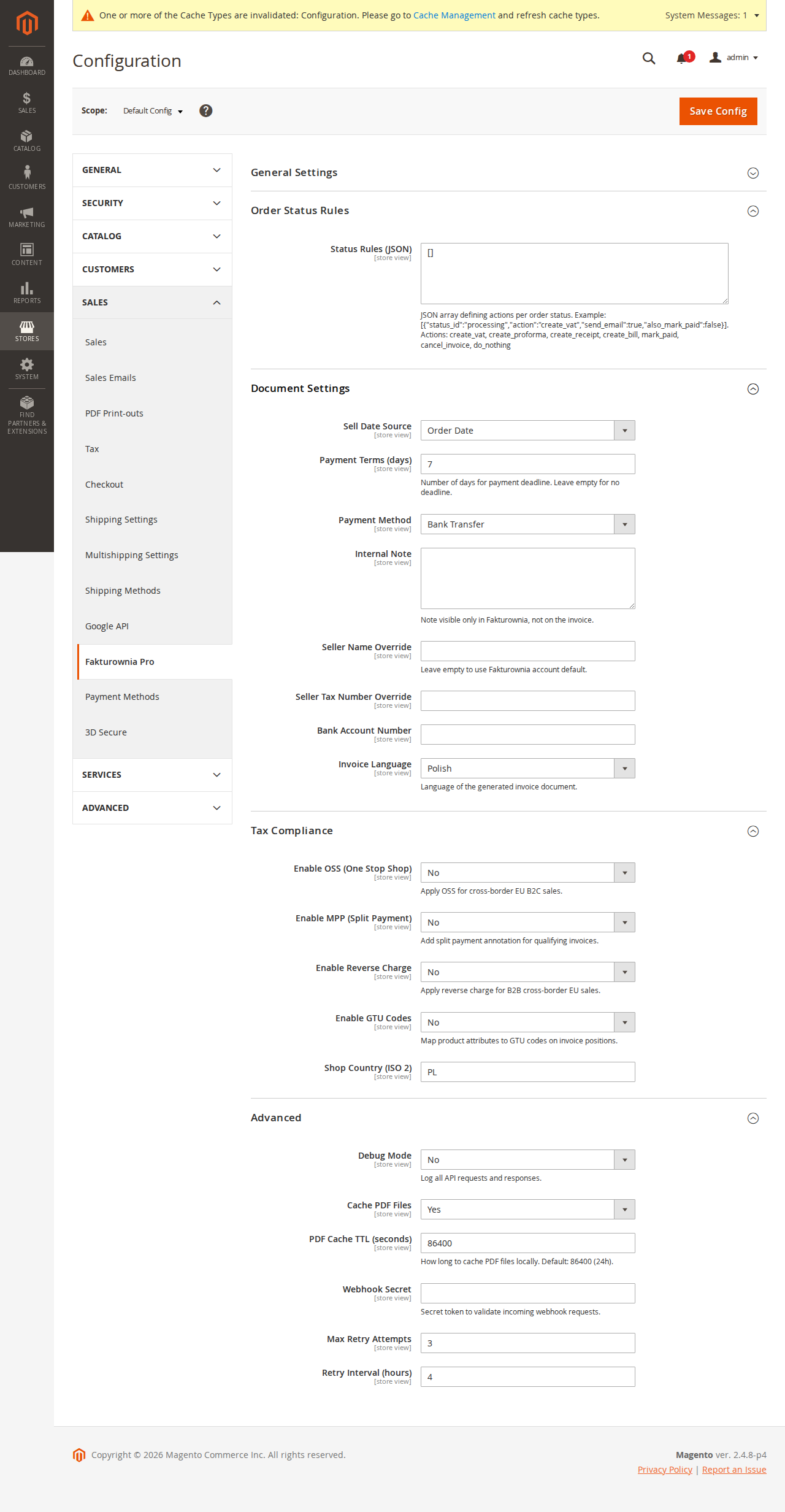
Magento Order States vs Statuses
Magento distinguishes between states (hard-coded system states) and statuses (configurable labels mapped to states). Rules can be triggered on either.
System States
| State | When It Occurs | Typical Invoice Action |
|---|---|---|
| new | Order placed, awaiting payment confirmation | Pro forma (optional) |
| pending_payment | Awaiting payment gateway confirmation | None |
| processing | Payment received, processing the order | VAT Invoice (most stores) |
| complete | All items shipped and invoiced | VAT Invoice (fulfillment stores) |
| closed | Order closed with a credit memo | Credit Note |
| canceled | Order cancelled | Credit Note (if invoice exists) |
| holded | Order placed on hold | Pro forma (B2B) |
| payment_review | Payment under review (e.g. fraud check) | None |
Use the Trigger column as a starting point. Your workflow may differ — a store using fulfillment-triggered invoicing generates on complete, not processing.
Custom Statuses
Custom statuses (e.g. awaiting_shipment, partially_shipped) created via Stores → Order Status are also supported. Select the status slug from the rule builder dropdown. The dropdown is populated dynamically from \Magento\Sales\Model\Order\Config so all configured statuses appear automatically.
Important: Magento can assign multiple statuses to the same state. If you create a rule on a custom status awaiting_shipment (mapped to state processing), it fires when an order moves to awaiting_shipment — not on every processing transition. This gives you finer control than state-level rules alone.
Observer Architecture
The module registers observers for two Magento events:
| Event | Observer Class | Fires When |
|---|---|---|
| sales_order_state_change_after | OrderStateChangeObserver | Order state changes |
| sales_order_save_after | OrderSaveObserver | Order saved (catches status changes) |
Why Two Observers?
The OrderStateChangeObserver is the primary trigger — it fires when the order state machine transitions. However, some payment gateway modules (PayU, Przelewy24, Blue Media) directly update status in the database without calling setStatus() on the order model, bypassing the state change event. The OrderSaveObserver catches these by comparing the pre-save and post-save status values.
Both observers evaluate the configured rules and dispatch a fakturownia_pro_generate_document event, which is consumed by the queue worker rather than generating the invoice synchronously. This ensures the order save operations are never blocked by API latency.
Event Flow
Order state/status change
    → Observer fires (sales_order_state_change_after OR sales_order_save_after)
    → Duplicate check: has a document been generated for this order + rule combo?
    → Rule evaluation: does this order match rule conditions?
    → Job inserted into plugkit_fakturownia_queue (status: pending)
    → Observer returns (order save completes normally)
    → Cron worker picks up job (fakturownia_process_queue, every 5 min)
    → API call to Fakturownia REST API
    → Extension attributes updated on order (invoice_id, invoice_number, status)
    → Admin panel reflects new invoice status
Configuring Rules
Navigate to Plugkit → Fakturownia Pro → Invoice Rules or follow the link from Stores → Configuration.
Each rule has the following fields:
| Field | Description | Notes | |---|---|---| | Trigger | Order state or status that activates this rule | Required | | Document Type | Invoice, receipt, pro forma, credit note, or bill | Required | | Conditions | Optional filters (payment method, customer group, order total) | Optional | | Attach to Email | Attach PDF to the Magento transactional email for this state | Requires async PDF | | Priority | Rule evaluation order (lower number = higher priority) | Default: 10 | | Active | Enable/disable without deleting | Default: Yes | | Store View | Scope this rule to a specific store view | Default: All |
Conditions Reference
| Condition | Options | Example Use |
|---|---|---|
| Payment method | banktransfer, checkmo, purchaseorder, any method code | Bank transfer → net 30 invoice |
| Customer group | General, B2B, any group name | B2B group → net 30 |
| Order total (PLN) | Greater than, less than, between | High-value orders → mandatory MPP |
| Shipping country | ISO country code | Export orders → different template |
| NIP present | Yes / No | NIP present → VAT invoice; no NIP → receipt |
| Invoice already exists | Yes / No | Prevent duplicate on re-processing |
Multiple conditions within a rule use AND logic. To implement OR logic, create multiple rules with the same trigger and different conditions — lower-priority rules are evaluated when higher-priority rules skip due to unmatched conditions.
Recommended Rule Configurations
Standard Retail Store (processing → Invoice)
The most common setup: generate a VAT invoice when payment is confirmed.
| Field | Value |
|---|---|
| Trigger | State: processing |
| Document type | Invoice (Faktura VAT) |
| Conditions | None |
| Attach to email | Order Confirmation (to customer) |
| Priority | 10 |
This covers credit card, PayPal, BLIK, and all online payment methods that move orders directly to processing.
Bank Transfer Orders (separate rule)
Bank transfer orders stay in pending state until manually approved. When you approve payment and move the order to processing, the above rule fires — no separate rule needed unless you want to generate a pro forma while the order is still pending.
Optional pro forma rule:
| Field | Value |
|---|---|
| Trigger | State: new |
| Document type | Pro forma |
| Conditions | Payment method: banktransfer |
| Priority | 5 |
When payment is confirmed and the order moves to processing, the main invoice rule fires. The pro forma is kept separately in Fakturownia and is not corrected automatically — you must manually mark it as fulfilled if your accounting workflow requires it.
Fulfillment-Triggered Invoice (complete → Invoice)
For stores that issue invoices only when the order is fully shipped — common for physical goods stores with strict Polish accounting requirements:
| Field | Value |
|---|---|
| Trigger | State: complete |
| Document type | Invoice |
| Conditions | None |
| Priority | 20 |
Use this instead of the processing rule. Using both causes duplicate invoices: one on payment confirmation, one on fulfillment.
B2B Net-30 Invoice
For B2B customer groups with net-30 payment terms:
| Field | Value |
|---|---|
| Trigger | State: processing |
| Document type | Invoice |
| Conditions | Customer group: B2B |
| Priority | 5 |
Configure the net_days field in document settings (General → Documents → Payment Terms) to 30 for the B2B customer group, or use the seller override per store view.
Credit Note on Closed Order
When a Magento credit memo is created, the order moves to closed. Generate a credit note automatically:
| Field | Value |
|---|---|
| Trigger | State: closed |
| Document type | Credit note (Korekta) |
| Link to original | Automatic via fakturownia_invoice_id extension attribute |
| Priority | 10 |
The module reads the original invoice ID from the order extension attribute and sends it as correction_id in the Fakturownia API payload. Partial refunds that do not fully close the order (status stays processing) do not trigger this rule — a separate rule on a custom status (e.g. partially_refunded) is required for those.
Canceled Order Credit Note
Only generate a credit note for canceled orders if an invoice was already issued:
| Field | Value |
|---|---|
| Trigger | State: canceled |
| Document type | Credit note |
| Conditions | Invoice already exists: Yes |
| Priority | 10 |
Without the Invoice already exists condition, this rule fires for all cancellations — including orders canceled before payment where no invoice was issued.
Retry Queue
When an API call fails, the job enters the retry queue (plugkit_fakturownia_queue table) with a failed status. The fakturownia_retry_failed cron job re-processes these jobs according to the retry interval configured in Advanced → Queue Settings.
Queue States
| Status | Meaning | Admin Action |
|---|---|---|
| pending | Awaiting first processing | None |
| processing | Currently being processed by cron | None |
| completed | Invoice successfully generated | View in Fakturownia |
| failed | Max retries reached — manual intervention required | Re-queue or investigate |
| skipped | Rule evaluated but conditions not met, no action taken | None |
View the queue at Plugkit → Fakturownia Pro → Invoice Queue. Failed jobs show the error message from the last API attempt. Common causes: API rate limit, Fakturownia downtime, invalid buyer NIP.
Manual Queue Processing
If the cron worker is not running (see Troubleshooting), process the queue manually:
# Process all pending jobs
bin/magento fakturownia:queue:process

# Force re-process failed jobs
bin/magento fakturownia:queue:process --force

# Check queue status
bin/magento fakturownia:queue:status
Queue Table Structure
The plugkit_fakturownia_queue table stores:
| Column | Type | Purpose |
|---|---|---|
| order_id | int | Magento order entity ID |
| rule_id | int | Rule that triggered this job |
| document_type | varchar | invoice, credit_note, proforma, etc. |
| status | varchar | pending, processing, completed, failed, skipped |
| attempts | int | Number of processing attempts |
| last_error | text | Last API error message |
| fakturownia_id | int | Fakturownia document ID after success |
| created_at | datetime | Job creation timestamp |
| processed_at | datetime | Last processing attempt timestamp |
Duplicate Prevention
The module prevents duplicate invoice generation through two mechanisms:
-
Queue deduplication: Before inserting a new job, the module checks whether a
completedorpendingjob already exists for the sameorder_id+rule_idcombination. -
Extension attribute check: If the order already has a
fakturownia_invoice_idextension attribute set, new invoice jobs (but not credit note jobs) are skipped.
| Scenario | Behavior |
|---|---|
| Order re-saved in processing state (common with some payment gateways) | Skipped — duplicate check blocks second job |
| Admin manually saves the order | Skipped |
| Order moves through multiple custom statuses mapped to processing | Only first status triggers the rule |
| Credit memo created on order with existing invoice | Allowed — credit note job created with correction_id |
| Rule manually triggered via CLI | Override with --force flag |
Plugin Interceptors for Custom Rule Conditions
Add custom conditions using a Magento plugin (interceptor) on the rule processor:
<!-- etc/di.xml -->
<type name="Plugkit\FakturowniaProMagento2\Model\RuleProcessor">
    <plugin name="my_custom_condition" type="MyVendor\MyModule\Plugin\RuleProcessorPlugin" />
</type>
// Plugin/RuleProcessorPlugin.php
public function afterShouldGenerate(
\Plugkit\FakturowniaProMagento2\Model\RuleProcessor $subject,
bool $result,
\Magento\Sales\Api\Data\OrderInterface $order,
string $ruleId
): bool {
// Skip invoice for B2B purchase orders — they use their own invoicing system
if ($order->getPayment()->getMethod() === 'purchaseorder') {
return false;
}
return $result;
}The afterShouldGenerate interceptor receives the processed result and the full order object. Return false to block generation, true to allow it. This is the recommended pattern — prefer plugins over observers for single-responsibility customization.
Service Contracts
The module exposes service contracts for programmatic invoice generation from custom code:
use Plugkit\FakturowniaProMagento2\Api\DocumentGenerationServiceInterface;
use Plugkit\FakturowniaProMagento2\Api\InvoiceRepositoryInterface;

// Inject via constructor
public function __construct(
    private DocumentGenerationServiceInterface $documentGenerationService,
    private InvoiceRepositoryInterface $invoiceRepository
) {}

// Generate document for an order
$this->documentGenerationService->generate($orderId, 'invoice');

// Get invoice data
$invoiceData = $this->invoiceRepository->getByOrderId($orderId);
echo $invoiceData->getInvoiceNumber(); // e.g. FV/2025/03/001
echo $invoiceData->getFakturowniaId(); // Fakturownia document ID

// Regenerate (overwrites existing)
$this->documentGenerationService->regenerate($orderId);
These interfaces are defined under Api/ and follow Magento's service contract pattern — stable across minor versions, safe to use in marketplace extensions.
Testing Rules
After configuring rules, test them before going live:
- Create a test order in the Magento admin (Orders → Create New Order).
- Assign the test customer
test@example.comwith a known payment method. - Set the order status to the trigger state manually: Order View → Order Status → Change Status.
- Wait 5 minutes for the cron worker to run, or run manually:
bin/magento fakturownia:queue:process - Refresh the order view. The invoice panel should show the generated invoice number.
- Check Plugkit → Fakturownia Pro → Invoice Queue for the completed job.
- Open the Fakturownia account and verify the document was created with correct buyer data.
To test without creating a real Fakturownia document, enable Test Mode in Stores → Configuration → Advanced → Test Mode. In test mode, the module makes API calls but all documents are created with the test flag in Fakturownia and are excluded from reports and JPK exports.
Viewing Rule Logs
Each invoice generation attempt is logged in Plugkit → Fakturownia Pro → Invoice Log. Columns:
| Column | Description |
|---|---|
| Order ID | Link to the Magento order |
| Rule | Which rule triggered |
| Document Type | Type generated |
| Fakturownia ID | Document ID in Fakturownia (linked) |
| Invoice Number | Human-readable number (e.g. FV/2025/03/001) |
| Status | completed, failed, skipped |
| Error | Error message for failed attempts |
| Created At | Timestamp |
Use this log to audit which orders generated invoices, when, and under which rule.