Cron-Based Retry Queue
Every invoice generation request that cannot be fulfilled immediately enters the retry queue. The queue protects orders from data loss during Fakturownia API outages, network timeouts, and transient errors — jobs are retried automatically with exponential backoff until they succeed or exhaust the configured retry limit.
Why the Retry Queue Exists
Invoice generation involves an outbound HTTP call to the Fakturownia API. HTTP calls can fail for reasons outside your control:
- API outages: Fakturownia scheduled maintenance or unplanned downtime
- Connection timeouts: Your Magento server's outbound request takes longer than the configured timeout
- Rate limiting: High-volume stores that generate many invoices in a short burst
- Transient network errors: DNS failures, intermediary proxy issues, TLS handshake failures
- Authentication failures: Expired or revoked API token (requires manual intervention)
Without a queue, a failed HTTP call would result in an order with no invoice and no record of the failure. With the queue, every failure is recorded, retried, and — if ultimately unresolvable — surfaced to the admin with a clear error message.
Queue States
Every job in the queue is in one of five states at any moment:
| State | Description | Next action |
|---|---|---|
| pending | Scheduled for processing; waiting for the next cron run | Processed by fakturownia_process_queue cron job |
| processing | Currently being processed | Finishes as completed or failed |
| failed | API call failed; retry count has not been exhausted | Retried by fakturownia_retry_failed cron job after backoff delay |
| failed_permanent | Failed and retry limit reached | Requires manual intervention — no further automatic retries |
| completed | Invoice successfully generated | No further action; rotated after log retention period |
State Transitions
Order state change triggers rule
         ↓
    [pending]  ←─────────────────────────────────────┐
         ↓                                             │
  Process queue cron fires                            │
         ↓                                             │
  API call succeeds → [completed]                     │
  API call fails   → [failed]  → Backoff elapsed → [pending] (if retries remain)
                         ↓
                  Retry limit reached → [failed_permanent]
The processing State and Stuck Jobs
A job enters processing when a cron run begins working on it. Under normal operation, it exits processing within seconds. If a cron process dies mid-run (OOM kill, PHP timeout), a job can get stuck in processing indefinitely.
The retry cron (fakturownia_retry_failed) detects stuck processing jobs: any job that has been in processing for longer than 3× the configured API timeout is considered stuck and reset to pending. This prevents queue stalls after PHP crashes.
Retry Strategy: Exponential Backoff
After each failure, the next retry is scheduled with an increasing delay. The backoff formula is:
delay = base_interval × 2^(retry_count - 1)
With the default base interval of 5 minutes:
| Retry attempt | Delay before retry | Time since original failure | |---|---|---| | 1st retry | 5 minutes | 5 minutes | | 2nd retry | 10 minutes | 15 minutes | | 3rd retry (default max) | 20 minutes | 35 minutes |
If you increase max_retries to 5:
| Retry attempt | Delay | Cumulative time | |---|---|---| | 1st | 5 min | 5 min | | 2nd | 10 min | 15 min | | 3rd | 20 min | 35 min | | 4th | 40 min | 75 min | | 5th | 80 min | 155 min (~2.5h) |
This strategy is designed to handle both short outages (resolved after the first retry) and extended maintenance windows (eventually resolved within a few hours) without flooding the Fakturownia API with rapid retry attempts during a live incident.
Hard Cap on Delay
The backoff delay is capped at 2 hours regardless of retry count. For stores with max_retries higher than 5, retries after the 5th use a flat 2-hour interval rather than continuing to double.
Monitoring the Queue in Admin
Navigate to Plugkit → Fakturownia Pro → Invoice Queue to see the queue state.
Queue Dashboard
The top section shows aggregated counts:
| Counter | Description | |---|---| | Pending | Jobs waiting for the next cron run | | Processing | Jobs currently being processed (normally 0 outside of a cron run) | | Failed | Jobs with remaining retries | | Permanently Failed | Jobs that exhausted all retries — require your attention | | Completed (today) | Successfully processed today | | Oldest pending (age) | How long the oldest pending job has been waiting — useful for detecting a stalled cron |
A non-zero "Permanently Failed" count is the most important operational indicator. These jobs will not resolve without intervention.
Queue Table
The table below the counters lists individual jobs with:
| Column | Description | |---|---| | Job ID | Internal queue record ID | | Order | WooCommerce order increment ID, linked to the order in the admin | | Document type | Invoice, receipt, correction, proforma | | Status | Current state with color coding (green = completed, amber = pending/failed, red = permanent failure) | | Retry count | Number of retries attempted so far | | Scheduled at | When the job is next due for processing | | Error message | Last error from the Fakturownia API or network stack | | Actions | Retry now, View order, Clear |
Filtering the Queue Table
Use the filter controls above the table:
| Filter | Options | |---|---| | Status | All, Pending, Failed, Permanently Failed, Completed | | Date range | Created at range | | Order ID | Search by specific order | | Error message | Free text search — useful for isolating a specific error type |
Filter by failed_permanent to see only jobs that need your attention. Sort by Created at ascending to address the oldest unresolved failures first.
Manual Retry
Retry a Single Job
- Find the job in Plugkit → Fakturownia Pro → Invoice Queue
- Click "Retry now" in the Actions column
- The job status resets to
pendingand is processed on the next cron run (typically within 1 minute)
To process immediately without waiting for cron:
bin/magento cron:run --group=fakturownia_proRetry All Failed Jobs
From the queue dashboard, click "Retry all permanently failed". This resets the retry counter for every failed_permanent job to 0 and sets their status back to pending. All jobs will be re-attempted on the next cron run.
Only use this after resolving the underlying issue (e.g., API token was expired and has been renewed, or an API outage is confirmed to be over). Retrying without fixing the root cause will consume all retry attempts again and land back at failed_permanent.
Via CLI
# Retry a specific job by order ID
bin/magento fakturownia:queue:retry --order-id=1234

# Retry all permanently failed jobs
bin/magento fakturownia:queue:retry --all-failed

# Process the full queue immediately
bin/magento fakturownia:queue:process
Clearing Stuck Items
A processing job that has been in that state for more than 3× the API timeout is automatically reset to pending by the retry cron. However, if you need to intervene immediately:
# Reset all stuck processing jobs to pending
bin/magento fakturownia:queue:unstick
Or via SQL (only if CLI is unavailable):
UPDATE plugkit_fakturownia_queue
SET status = 'pending',
    scheduled_at = NOW(),
    error_message = 'Manually reset from processing after stuck detection'
WHERE status = 'processing'
  AND processed_at < DATE_SUB(NOW(), INTERVAL 30 MINUTE);
Cron Configuration (crontab.xml)
The three cron jobs are registered in etc/crontab.xml:
<?xml version="1.0"?>
<config xmlns:xsi="http://www.w3.org/2001/XMLSchema-instance"
        xsi:noNamespaceSchemaLocation="urn:magento:module:Magento_Cron:etc/crontab.xsd">
    <group id="fakturownia_pro">
        <job name="fakturownia_process_queue"
             instance="Plugkit\FakturowniaProMagento2\Cron\ProcessQueue"
             method="execute">
            <schedule>* * * * *</schedule>
        </job>
        <job name="fakturownia_retry_failed"
             instance="Plugkit\FakturowniaProMagento2\Cron\RetryFailed"
             method="execute">
            <schedule>*/5 * * * *</schedule>
        </job>
        <job name="fakturownia_cleanup_logs"
             instance="Plugkit\FakturowniaProMagento2\Cron\CleanupLogs"
             method="execute">
            <schedule>0 2 * * *</schedule>
        </job>
    </group>
</config>
Adjusting Schedules via Admin
Cron schedules can be overridden without modifying module files via Stores → Configuration → Advanced → System → Cron (Scheduled Tasks):
| Job | Default | When to change |
|---|---|---|
| fakturownia_process_queue | * * * * * | Almost never — every-minute processing is the right default |
| fakturownia_retry_failed | */5 * * * * | Increase to */15 on stores with very low API reliability to reduce noise |
| fakturownia_cleanup_logs | 0 2 * * * | Change only to move away from your peak traffic time |
Batch Size
The fakturownia_process_queue job processes jobs in batches. The default batch size is 50 jobs per cron run. On high-volume stores with many simultaneous orders:
Stores → Configuration → Advanced → System → Fakturownia Pro Queue Batch Size
Increase to 100 or 200 on VPS/dedicated servers with low API latency. Keep at 25–50 on shared hosting where cron runs have tight execution time limits.
Verifying the Cron Group Is Running
# Check that the fakturownia_pro group appears in the schedule
bin/magento cron:status | grep fakturownia

# Run the group once manually and verify output
bin/magento cron:run --group=fakturownia_pro
# Expected: no errors; queue stats should change if jobs were pending

# Check database for recent executions
SELECT job_code, status, scheduled_at, executed_at, finished_at
FROM cron_schedule
WHERE job_code LIKE '%fakturownia%'
ORDER BY executed_at DESC
LIMIT 10;
If executed_at shows timestamps older than 2 minutes for the process_queue job, the cron daemon is not running correctly. Check:
# Is the system crontab entry present?
crontab -l -u www-data | grep magento

# Standard entry:
# * * * * * php /var/www/magento/bin/magento cron:run 2>&1 | \
#   grep -v "Ran jobs by schedule" >> /var/log/magento.cron.log
Failure Notification
When a job reaches failed_permanent status, the module sends an email notification to the Magento admin email address. The notification includes:
- Order increment ID and a link to the order in the admin
- Number of retries attempted
- Last error message from the Fakturownia API
- Suggested next steps based on the error type
To change the notification recipient:
Stores → Configuration → Plugkit → Fakturownia Pro → Advanced → Failure notification email
To disable notifications (not recommended for production):
Stores → Configuration → Plugkit → Fakturownia Pro → Advanced → Notify on permanent failure → No
Common Queue Failure Patterns
| Error message | Root cause | Resolution |
|---|---|---|
| Connection timeout after Xs | Fakturownia API unreachable or slow | Increase API timeout; check Fakturownia status page |
| HTTP 401 Unauthorized | API token invalid or expired | Regenerate token in Fakturownia; update in module config |
| HTTP 422 Unprocessable Entity | Malformed invoice payload | Enable debug logging; inspect request payload in log |
| HTTP 429 Too Many Requests | Rate limit hit | Reduce batch size; increase retry interval |
| Order not found: {order_id} | Order was deleted from Magento | Clear the job manually — order no longer exists |
| curl: (6) Could not resolve host | DNS failure on your server | Check server DNS configuration; test with curl app.fakturownia.pl |
| SSL: certificate verify failed | Outdated CA bundle on server | Update CA bundle: update-ca-certificates on Debian/Ubuntu |
Next Steps
- Architecture — how the queue integrates with the DI container and cron group
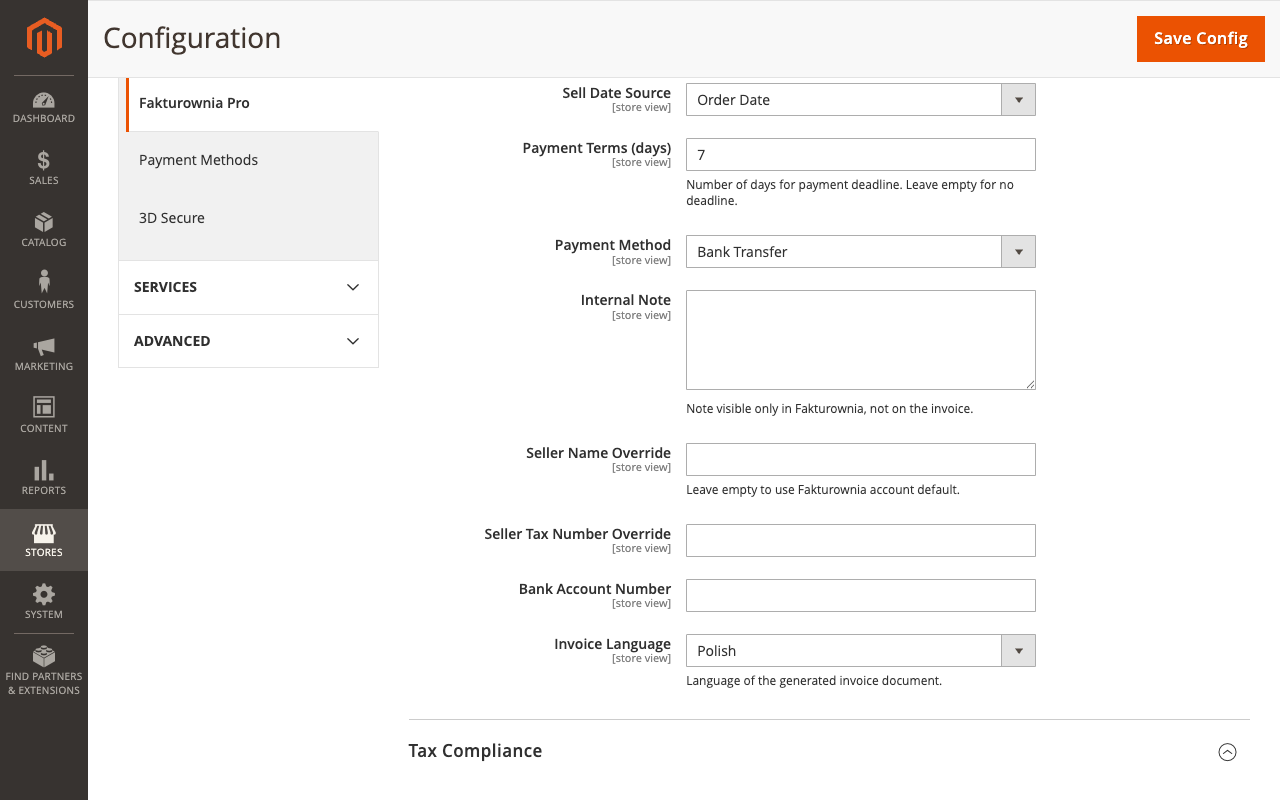
- Configuration — retry settings, batch size, and notification configuration
- Troubleshooting — full diagnosis guide for queue and cron failures