Configuration
All module settings are in Stores → Configuration → Plugkit → Fakturownia Pro in the Magento admin. The configuration uses native Magento UI components and respects Magento's full store-scope hierarchy: settings can be configured globally (default scope), per website, or per store view.
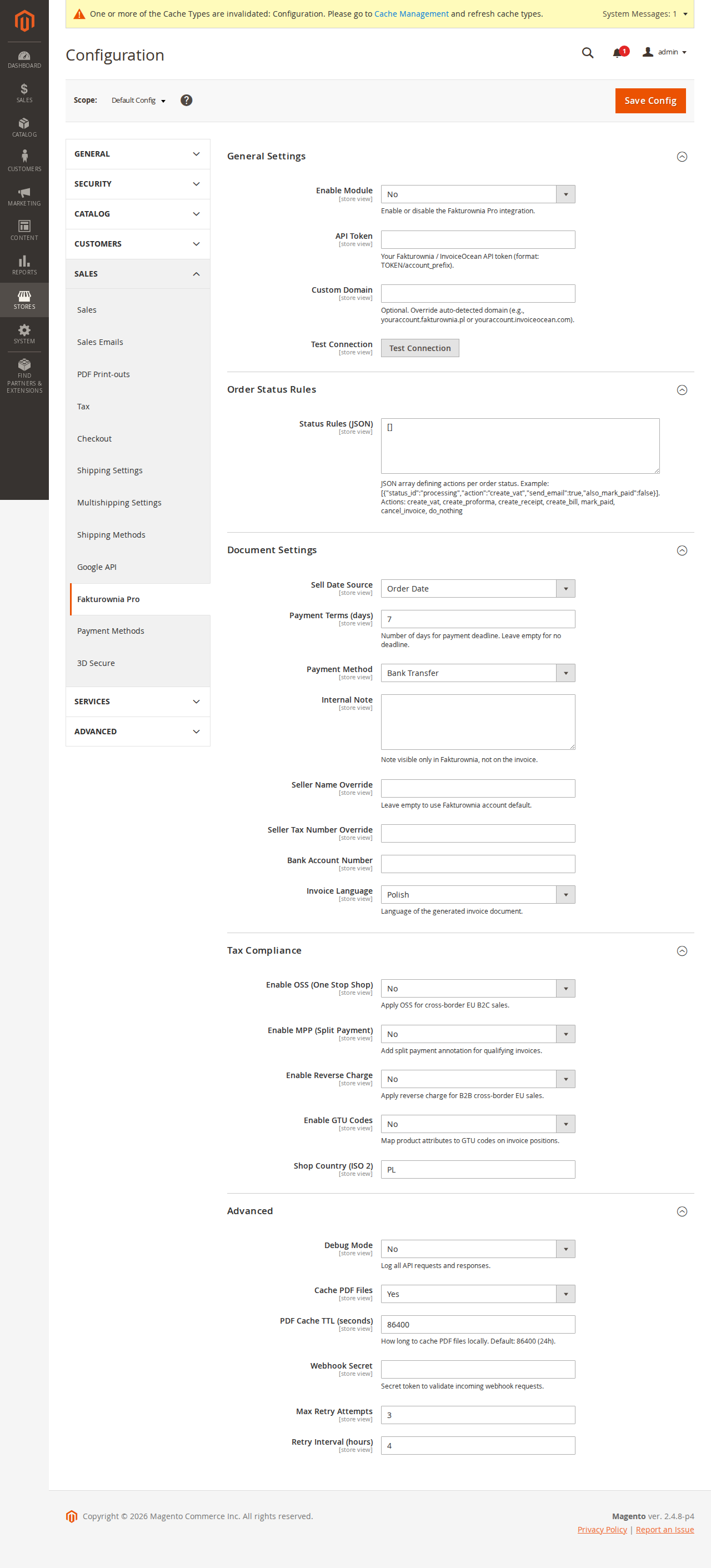
Accessing Configuration
Admin path: Stores → Settings → Configuration → Plugkit (left sidebar section) → Fakturownia Pro
If the Plugkit section does not appear in the left sidebar after installation, flush the config cache:
bin/magento cache:clean configThe section appears immediately after the cache is cleared.
Store Scope Architecture
Magento's configuration scopes apply fully to all Fakturownia Pro settings:
| Scope level | Use case | |---|---| | Default (global) | Single-store Magento installations; base settings for multi-store | | Website | Different legal entities with different Fakturownia accounts or API tokens | | Store view | Different document languages (Polish PDF for PL store view, English for EN store view) |
Select the target scope from the Store View dropdown before changing settings. Settings that differ from the inherited value show the "Use Default" checkbox unchecked.
Common multi-store pattern: Global API token pointing to one Fakturownia account, with store-view overrides for Invoice Language (Polish for PL, English for EN).
General Settings Group
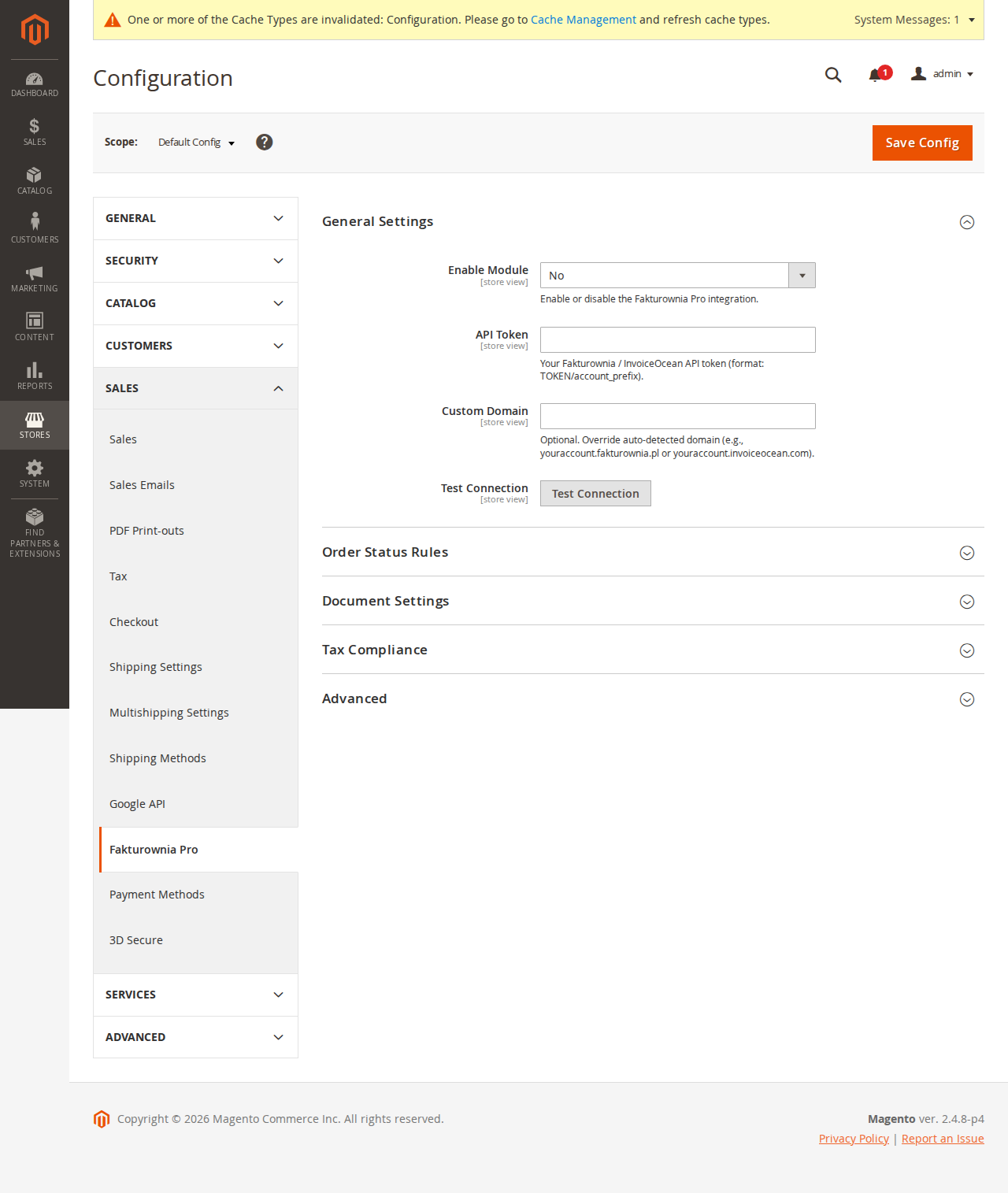
| Field | Scope | Description |
|---|---|---|
| Enabled | Website | Enable or disable the module for this website without affecting others |
| API Token | Website | Fakturownia REST API authorization code (full string including /subdomain) |
| Subdomain | Website | Your Fakturownia account subdomain only (e.g., mycompany) |
| Test Connection | — | Fires a live GET /api/invoices.json?per_page=1 — success shows account name |
| Department | Website | Default Fakturownia department for generated documents |
| Invoice Language | Store view | Language of generated PDFs: pl (Polish) or en (English) |
Test Connection Details
The Test Connection button makes a minimal API call to confirm credentials and connectivity. What it checks:
- The API token format is syntactically valid
- The Fakturownia API endpoint is reachable
- The credentials are accepted (HTTP 200 with account data)
- The account name returned matches what you expect
If the test fails with a timeout error, see Troubleshooting → Connection Timeout. If it fails with "Unauthorized," the API token needs to be regenerated in Fakturownia.
Document Settings Group
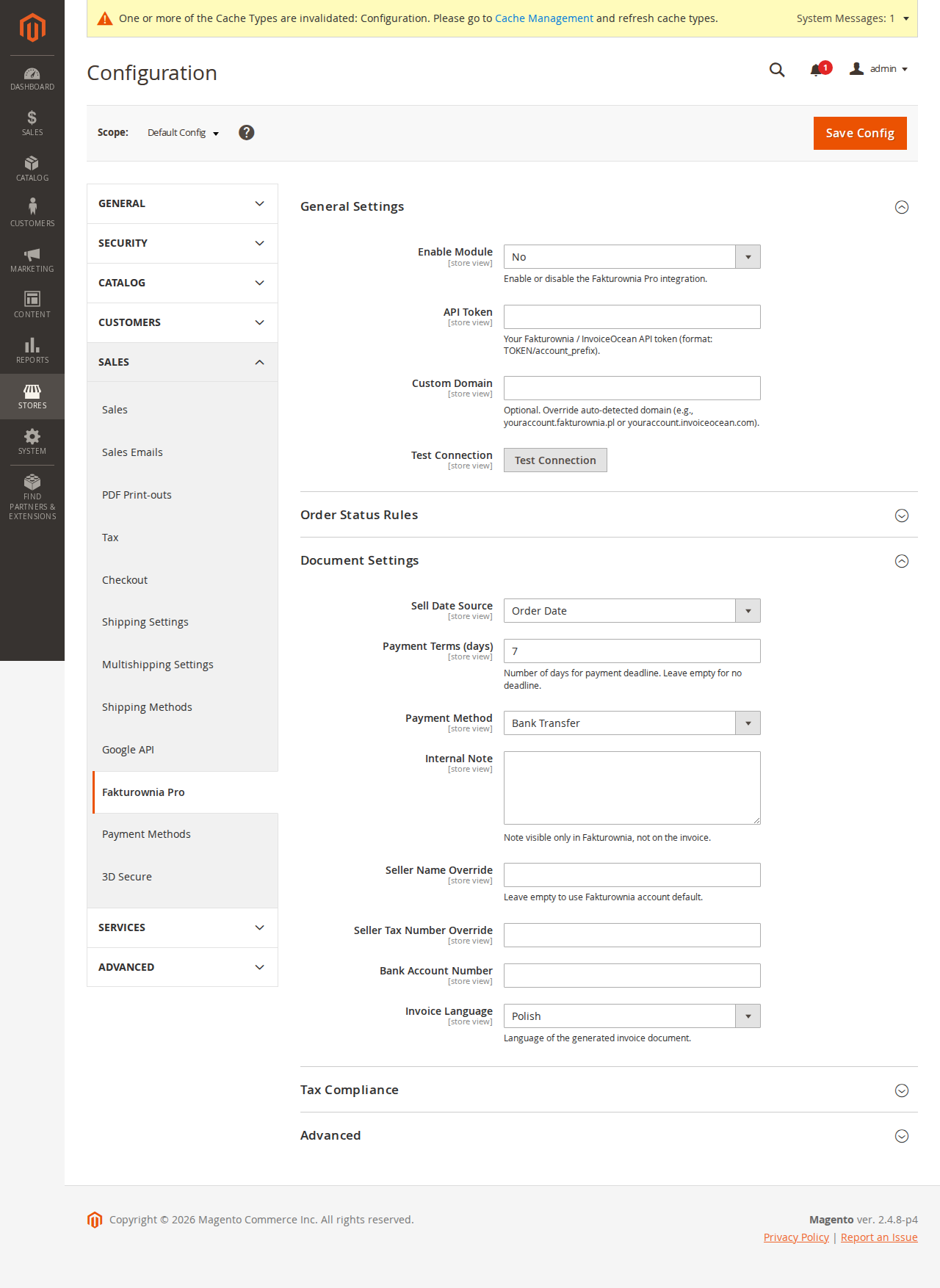
Seller Information
| Field | Description | |---|---| | Use account default | Use seller details configured in your Fakturownia account | | Override seller name | Company name override for this website/store | | Override NIP | Tax ID override | | Override address | Address block override | | Override bank account | Bank account override | | Override contact person | Contact name override |
Overrides are sent as seller_name, seller_tax_no, etc. in the Fakturownia API payload. They do not modify your Fakturownia account settings — they apply only to invoices generated by this Magento instance.
Multi-brand use case: Two Magento websites (brand-a.com and brand-b.com) connected to the same Fakturownia account. Website A overrides the seller name to "Brand A Sp. z o.o." and website B to "Brand B Sp. z o.o." Both show the same NIP (same legal entity) but different trading names.
Buyer Data Source
The module resolves buyer data for invoice generation using this priority order:
- Order extension attribute
fakturownia_nip— set when the NIP checkout field captured a NIP - Customer address attribute
tax_id— the standard Magento B2B VAT field - Order billing address —
company, thenfirstname/lastnamefor the buyer name block
Invoice Number Series
Leave blank to use Fakturownia's default sequential numbering. Enter a series name to use a specific Fakturownia series. The series must exist in your Fakturownia account under Settings → Numbering before specifying it here.
Asynchronous PDF Attachment
When enabled, PDF attachment to Magento transactional emails is handled via the cron queue rather than synchronously during the order save operation. This prevents email send delays when the Fakturownia API is slow.
Trade-off: Asynchronous mode means the email is queued for sending — it goes out within the next cron cycle (typically within 1 minute) rather than immediately. For most stores, this delay is acceptable.
Advanced Settings Group
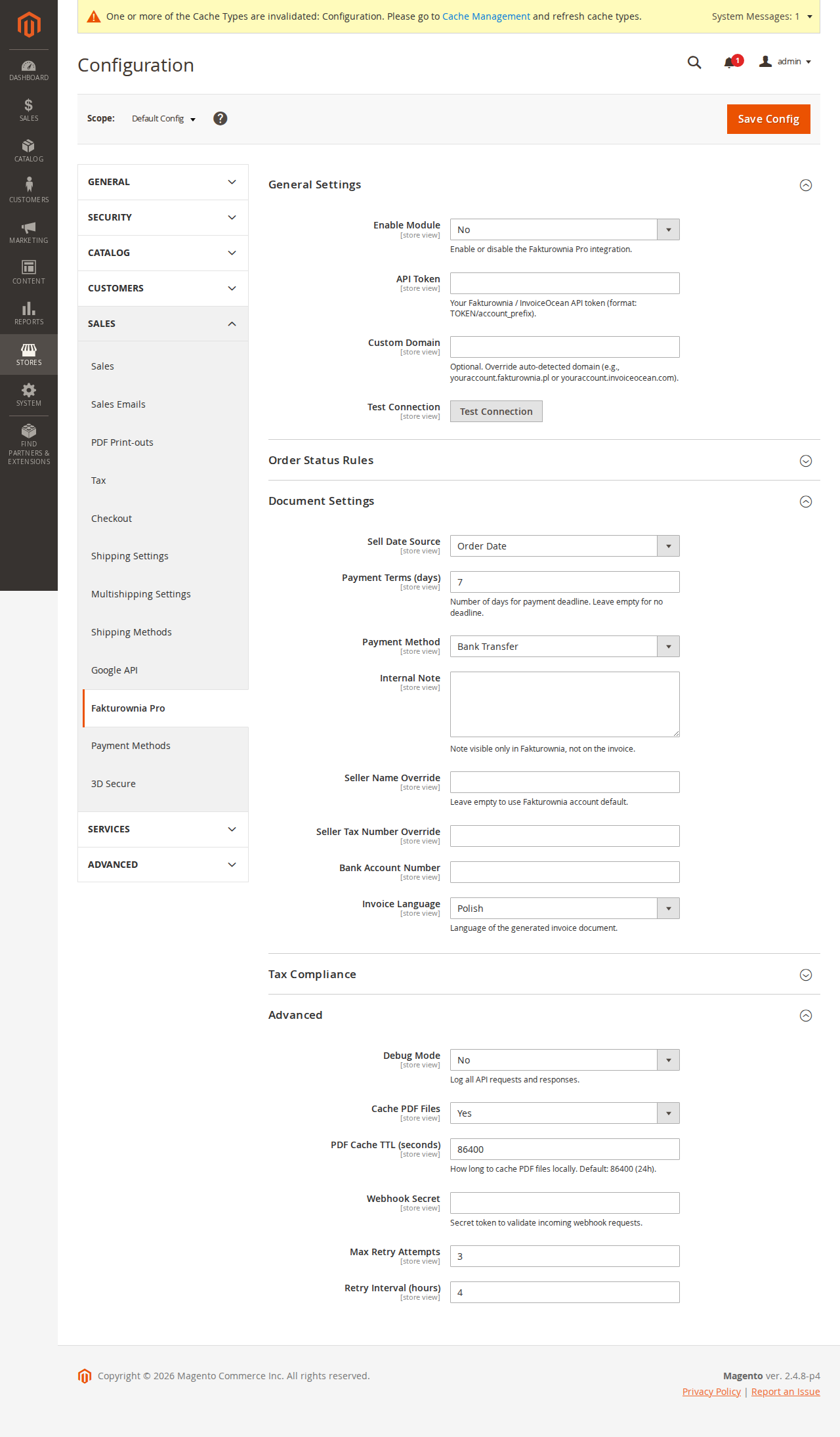
| Field | Default | Description |
|---|---|---|
| API Timeout | 15s | HTTP client timeout for Fakturownia API calls |
| Max retries | 3 | Maximum retry attempts per failed job |
| Retry interval | 300s (5 min) | Seconds between retry attempts |
| Notify on failure | Admin email | Recipient for permanent failure notifications |
| Debug logging | Off | Writes full API request/response to var/log/fakturownia_pro.log |
| Log retention | 30 days | Auto-rotate logs older than this |
Adjusting the Cron Group Schedule
The fakturownia_pro cron group schedule can be adjusted via Stores → Configuration → Advanced → System → Cron (Scheduled Tasks):
| Job | Configurable field | Default |
|---|---|---|
| fakturownia_process_queue | Schedule expression | * * * * * (every minute) |
| fakturownia_retry_failed | Schedule expression | */5 * * * * (every 5 min) |
| fakturownia_cleanup_logs | Schedule expression | 0 2 * * * (daily 02:00) |
For very high-volume stores (10,000+ orders/day), consider changing fakturownia_process_queue to */1 * * * * (explicitly every minute) and increasing the batch size via Stores → Configuration → Advanced → System → Fakturownia Pro Queue Batch Size (default: 50 jobs per cron run).
Extension Attributes
The module registers extension attributes on Magento's core order entities. These attributes persist alongside order data and are available in Magento's REST API, GraphQL API, and admin panel.
| Entity | Attribute | Type | Description |
|---|---|---|---|
| OrderInterface | fakturownia_invoice_id | string | Fakturownia internal invoice ID |
| OrderInterface | fakturownia_invoice_number | string | Human-readable invoice number (e.g., FS/2025/001) |
| OrderInterface | fakturownia_invoice_status | string | pending, generated, failed, skipped |
| OrderInterface | fakturownia_nip | string | Customer NIP captured at checkout |
| OrderAddressInterface | fakturownia_nip | string | NIP on the billing address entity |
Using Extension Attributes in Custom Code
// Read invoice number from order
$order = $this->orderRepository->get($orderId);
$invoiceNumber = $order->getExtensionAttributes()->getFakturowniaInvoiceNumber();

// Read NIP from billing address
$billingAddress = $order->getBillingAddress();
$nip = $billingAddress->getExtensionAttributes()->getFakturowniaNip();
Orders Grid and REST API
Extension attributes are searchable via Magento's standard search API:
# Find all orders where invoice generation failed
curl -s "https://yourstoreDOTcom/rest/V1/orders?searchCriteria[filterGroups][0][filters][0][field]=fakturownia_invoice_status&searchCriteria[filterGroups][0][filters][0][value]=failed" \
  -H "Authorization: Bearer YOUR_ADMIN_TOKEN"
Admin Panel Integration
Orders Grid Column
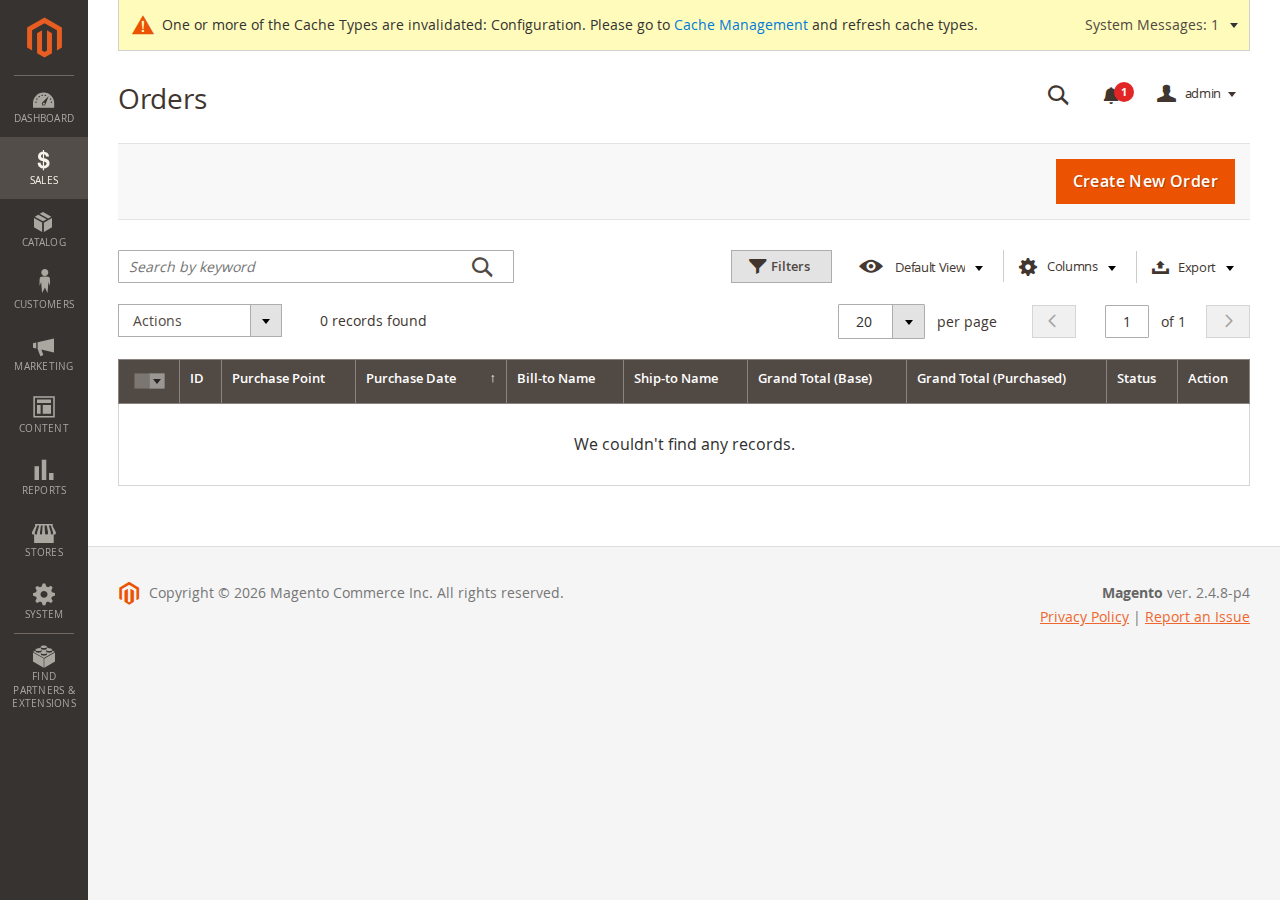
The module adds an Invoice column to the Magento admin orders grid. The column shows:
- Invoice number as a link to Fakturownia (for generated invoices)
- "Pending" badge (for orders in the queue)
- "Failed" badge with retry link (for permanent failures)
- "Skipped" label (for orders excluded by rule conditions)
Order Detail Panel
Each order detail page has a Fakturownia Pro panel showing:
- Invoice number and document type
- Generation timestamp
- Current status
- Links: view in Fakturownia, download PDF
- Buttons: manual generate/regenerate
Admin Menu
After installation, Plugkit → Fakturownia Pro appears in the Magento admin left sidebar, providing access to:
- Invoice Queue — view all pending, processing, failed, and completed jobs
- Invoice Log — audit trail of all generated documents
- Settings — shortcut to Stores → Configuration
Logging
Debug logging is written to var/log/fakturownia_pro.log. The log includes:
- API endpoint called
- Full request payload (JSON)
- HTTP response status
- Response body (truncated on success, full on error)
- Order ID and the job ID in the queue table
- Execution duration in milliseconds
Warning: Debug logs contain complete invoice payloads including buyer names, NIP numbers, product details, and pricing. Enable only during active troubleshooting and rotate immediately after.
To tail the log in real time:
tail -f /var/www/magento/var/log/fakturownia_pro.logNext Steps
- Invoice rules — configure per-state automation
- Compliance — NIP, GTU, OSS, MPP, Reverse Charge
- Troubleshooting — DI errors, cron issues, Redis cache problems