Audit Log & KSeF-ID Tracking
KSeF Pro maintains a complete audit trail of every invoice submission attempt, including the original signed FA(2) XML, the KSeF-ID returned by the government, and the downloaded UPO. This data satisfies Polish e-invoicing record-keeping requirements under the KSeF mandate (5-year retention obligation under ustawa o rachunkowości).
Accessing the Audit Log
Go to KSeF Pro → Audit Log in your PrestaShop Admin sidebar. The log displays all submission records in reverse chronological order.
What Auditors Actually Need
When a Polish tax authority (Urząd Skarbowy) or the Ministry of Finance requests e-invoicing records during a VAT audit or tax inspection, auditors need to verify:
- That each invoice was submitted to KSeF — confirmed by the
ACCEPTEDstatus and presence of a KSeF-ID - That the KSeF-ID matches the invoice data — confirmed by downloading the signed FA(2) XML and cross-referencing with the invoice
- That the government acceptance timestamp is available — the
Accepted Atcolumn (timestamp of UPO download) - That the UPO is intact and authentic — auditors may request the raw UPO XML files for specific invoices
- Continuity of records — no gaps in the submission sequence for periods under review
The audit log satisfies all five requirements. The key workflow for an audit:
- Filter the audit log to the period under review
- Export the filtered view as CSV (covers requirements 1, 3, and a reference to 4)
- For invoices the auditor selects for detailed review, download the individual FA(2) XML and UPO files
- Provide the auditor with: the CSV export, the selected XML files, the selected UPO files
Complete Audit Log Field Reference
| Field | Description | Notes |
|---|---|---|
| Order Reference | PrestaShop order reference — click to open the order | |
| Customer | Buyer name (B2C) or company name (B2B) | |
| NIP | Buyer's Polish VAT number (B2B orders only) | Blank for B2C |
| Document Type | VAT (standard invoice), KOR (correction), B2C (simplified) | |
| KSeF-ID | Permanent government identifier — click to open MF verification | Populated only for ACCEPTED records |
| UPO Number | Reference number of the Urzędowe Potwierdzenie Odbioru document | Different from KSeF-ID; used for UPO cross-reference in MF portal |
| Fakturownia ID | Fakturownia invoice number (Paired Mode only) | Blank if Paired Mode not enabled |
| Status | Current submission status | See status reference table below |
| Session Ref | KSeF session reference number | Use this to cross-reference with the MF portal's session history |
| XML Hash | SHA-256 hash of the signed FA(2) XML | Used to verify file integrity — the hash of the downloaded XML must match this value |
| Submitted At | Timestamp of API submission to KSeF | ISO 8601, stored in CET/CEST |
| Accepted At | Timestamp of UPO download | Populated only for ACCEPTED records |
| Error | Error message for FAILED/TERMINATED records | Human-readable; includes MF error code where available |
| Actions | XML download, UPO download, Retry, Mark as failed | |
Submission Status Reference
| Status | Meaning | Action Required |
|---|---|---|
| PENDING | Trigger fired; queued but not yet submitted | None — waits for next cron/background process |
| SIGNING | FA(2) XML being signed with XAdES-BES | None — in progress |
| SUBMITTED | XML sent to KSeF; session open, UPO not yet downloaded | None — polling in progress |
| ACCEPTED | KSeF-ID assigned; UPO downloaded and stored | None — complete |
| FAILED | Submission failed; error recorded | Review error, fix issue, retry |
| TERMINATED | Session was terminated before close; invoice NOT accepted by KSeF | Re-submit after fixing root cause |
| SKIPPED | Order excluded by rule engine (e.g., non-PLN, B2C exempt, no trigger match) | None — by design |
| KSEF_OK_FAKTUROWNIA_FAILED | KSeF accepted; Fakturownia Pro leg failed (Paired Mode) | Retry Fakturownia leg |
| KSEF_FAILED_FAKTUROWNIA_SKIPPED | KSeF failed; Fakturownia blocked (Paired Mode) | Fix KSeF error, retry both |
The TERMINATED status is important to understand: it means the KSeF session was aborted before the close+UPO step. Invoices in a terminated session were not accepted by KSeF. They have no KSeF-ID and are not in the Ministry of Finance ledger. They must be re-submitted in a new session.
KSeF-ID Format
The KSeF-ID assigned by the Ministry of Finance follows the pattern:
{NIP}{YYYYMMDD}{HHmmss}{sequential}
Example: 123456789020250301100523000001
This identifier:
- Is unique across all submissions in Poland
- Permanently identifies this invoice in the MF ledger
- Can be used by the buyer to retrieve the invoice via the KSeF API
- Must appear on the customer-facing invoice PDF (populated automatically in Paired Mode)
XML Audit Trail
For every submission, KSeF Pro stores the signed FA(2) XML locally. To access it:
- Find the record in the audit log
- Click the XML icon in the Actions column
- The signed XML file downloads directly
Storage location: modules/ksefpl/xml/{order-reference}-{timestamp}.xml
These files are the authoritative audit copy. They must be retained for 5 years. KSeF Pro does not automatically purge them — manage storage proactively on high-volume stores (a typical FA(2) XML file is 3–8 KB).
Security note: The XML storage directory is inside the PrestaShop modules directory. Ensure it is not publicly accessible via HTTP. Add a .htaccess or nginx rule to block direct access:
location ~* ^/modules/ksefpl/(xml|upo)/ {
    deny all;
    return 403;
}
UPO Storage and Download
Downloaded UPOs are stored at: modules/ksefpl/upo/{order-reference}-{timestamp}.xml
To download a specific UPO:
- Find the
ACCEPTEDrecord in the audit log - Click the UPO icon in the Actions column
If the UPO column shows a spinner icon, the UPO is still being processed by the MF servers. KSeF Pro polls automatically every 30 seconds — no manual action needed.
If a record has been SUBMITTED for more than 30 minutes without progressing to ACCEPTED, the KSeF session likely expired. See Troubleshooting → Session Timeout for resolution steps.
Searching and Filtering the Audit Log
Use the filter bar above the audit log table to narrow results:
| Filter | Options | Use case | |---|---|---| | Date range | From / to date picker | Monthly compliance review; tax period export | | Status | All, PENDING, SUBMITTED, ACCEPTED, FAILED, TERMINATED | Finding issues requiring action | | Document type | VAT, KOR, B2C | Segmenting corrections from regular invoices | | Order reference | Text search (partial match) | Locating a specific order | | KSeF-ID | Text search (exact or prefix) | Finding by government reference | | Customer NIP | Text search | All invoices for a specific B2B buyer | | Fakturownia ID | Text search | Cross-referencing with Fakturownia records (Paired Mode) |
Tip for monthly reviews: Set date range to the first and last day of the previous month, set status to "FAILED" or "TERMINATED" to find any records that need attention before closing the month.
Exporting for Tax Audit
CSV Export
Click "Export CSV" in the top-right of the audit log screen to download the full log or the current filtered view. The CSV includes all columns: KSeF-IDs, UPO numbers, XML hashes, error messages, and timestamps.
Recommended monthly routine:
- At month end, filter to the completed month
- Export CSV — saves all KSeF-IDs and acceptance timestamps
- Archive CSV alongside monthly UPO ZIP (see below)
- Store both with your accounting records
UPO Archive as ZIP
In KSeF Pro 2.1.0 and later, use the "Export UPOs as ZIP" button in the audit log to download all UPO XML files for the current filter selection as a single archive. This is the most efficient format for providing UPOs to an accountant or tax authority.
For a full tax year handoff:
- Set date range to the full calendar or fiscal year
- Click "Export UPOs as ZIP" — file contains all UPO XMLs named
{order-reference}-{ksef-id}.xml - Export CSV separately for the same period
- Provide both files to your accountant
Retention Requirements Under Polish Law
Under Article 74 of the ustawa o rachunkowości (Accounting Act) and Article 112a of the ustawa o podatku od towarów i usług (VAT Act):
| Document | Retention period | Who retains | |---|---|---| | FA(2) XML (signed) | 5 years from end of the calendar year of submission | Seller (you) | | UPO (official receipt) | 5 years from end of the calendar year of submission | Seller (you) | | KSeF-ID records | 5 years — implied by the above | Seller (you) | | Customer invoice copy | 5 years from end of the calendar year of issuance | Both seller and buyer |
KSeF Pro stores FA(2) XMLs and UPOs locally in modules/ksefpl/xml/ and modules/ksefpl/upo/. These directories must be included in your server backups. Losing them means losing your audit trail.
Cloud backup recommendation: Schedule a daily backup of both directories to off-server storage. A simple cron job:
# Daily backup of KSeF XMLs and UPOs to S3
0 2 * * * aws s3 sync /path/to/prestashop/modules/ksefpl/xml/ s3://your-bucket/ksefpl/xml/ --storage-class STANDARD_IA
0 2 * * * aws s3 sync /path/to/prestashop/modules/ksefpl/upo/ s3://your-bucket/ksefpl/upo/ --storage-class STANDARD_IA
What to Do If a KSeF-ID Is Missing
A record in the audit log with ACCEPTED status but no KSeF-ID visible indicates one of:
-
Display bug: Refresh the audit log page. If the status is
ACCEPTED, the KSeF-ID was stored in the database — it should appear on refresh. -
Database truncation: If the KSeF-ID column appears blank for many records, check that the
numer_ksefcolumn in theksefpl_submissionstable has not been truncated. The KSeF-ID is up to 36 characters — a column set to VARCHAR(32) would silently truncate it. -
Record is
TERMINATED, notACCEPTED: Re-read the status.TERMINATEDmeans the session closed without acceptance. The invoice has no KSeF-ID because it was never accepted. Re-submit the order. -
Record is genuinely missing from the log: If an order has no audit log record at all, the trigger did not fire. Check whether the order's status matches your configured trigger, and whether the module's HPOS hook is correctly registered (see Troubleshooting).
For a TERMINATED record with no KSeF-ID:
- Expand the record to read the error message
- Fix the underlying cause (session timeout, signing error, network issue)
- Click "Retry selected" — KSeF Pro opens a new session and re-submits
Do not re-submit an invoice if you are uncertain whether it was accepted. Check the MF portal at https://ksef.mf.gov.pl by searching for your NIP and the invoice date — if the invoice appears there with a KSeF-ID, it was accepted. In that case, manually mark the KSeF-ID on the record in KSeF Pro (contact support to enable the manual KSeF-ID entry feature) rather than submitting again.
Order-Level View
KSeF submission data is also available directly on the order:
-
Go to Orders → Order detail for any order
-
Scroll to the KSeF Invoice panel
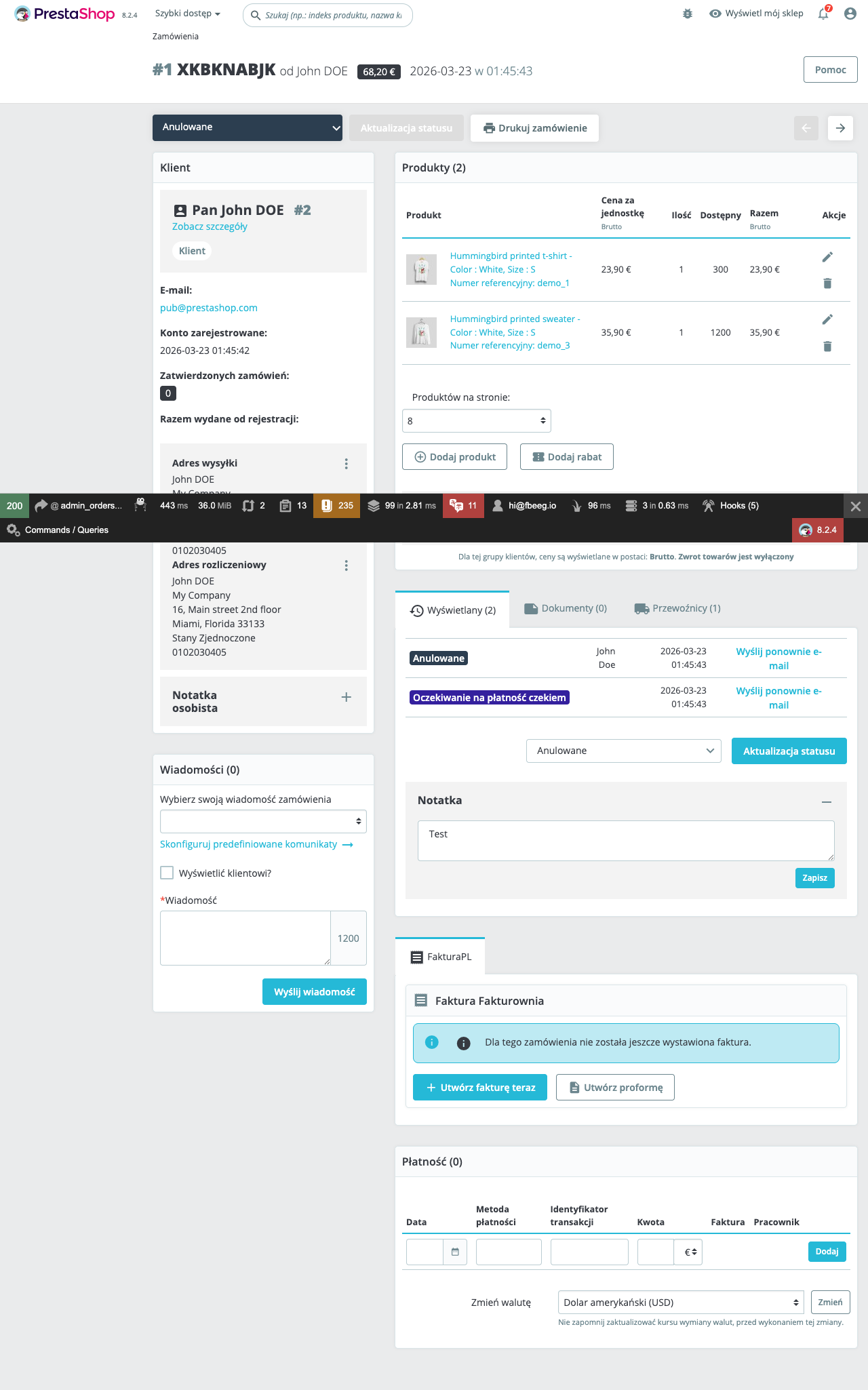
The panel shows:
- Submission status with colour indicator
- KSeF-ID (with external link to MF verification)
- Submission timestamp
- UPO download link
- FA(2) XML download link
- "Send to KSeF" button (manual trigger)
- "Issue correction" button (for accepted invoices)
Re-submitting Failed Records
- In the audit log, check the checkbox next to any
FAILEDorTERMINATEDrecord - Expand the record (chevron icon) to read the error message
- Fix the underlying issue (see Troubleshooting)
- Click "Retry selected"
KSeF Pro opens a new session and re-submits. FAILED and TERMINATED records are never automatically retried — manual confirmation is required to prevent accidental duplicate submissions.
If you are retrying a TERMINATED session: confirm that none of the invoices in the original session were accepted before termination (check the audit log for any with KSeF-IDs). Only re-submit invoices that truly have no KSeF-ID.
Compliance Reporting
The audit log satisfies the following Polish compliance requirements:
| Requirement | How the Audit Log Satisfies It |
|---|---|
| Proof of KSeF submission | ACCEPTED status + KSeF-ID per invoice |
| UPO retention (5 years) | UPO XML stored locally and downloadable |
| FA(2) XML retention (5 years) | Signed XML stored locally and downloadable |
| Submission timestamp | Submitted At column |
| Government acceptance timestamp | Accepted At column |
| UPO number for cross-reference | UPO Number column |
| XML integrity verification | XML Hash column (SHA-256) |
| Error history | FAILED/TERMINATED records with error messages |
At year-end, export the full audit log CSV and archive it with your accounting records. Confirm with your accountant whether they also require the raw UPO XML files.